

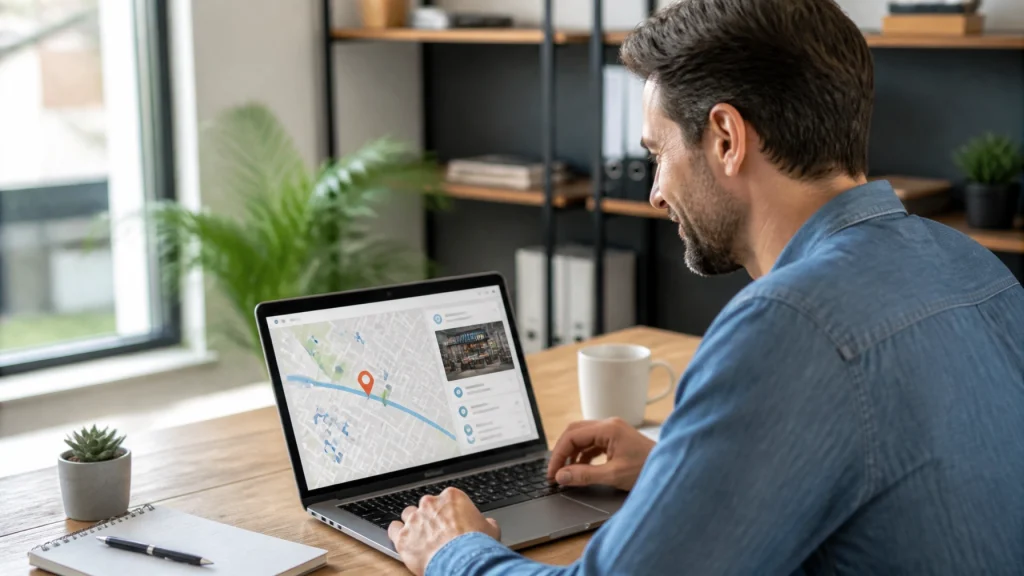
When customers search for “plumber near me,” “family dentist near me,” or “best coffee shop nearby,” they are often ready to take action. They may want to call, request directions, book an appointment, or visit a business today.
Local SEO helps your business appear in those important searches.
It is more than adding your city to a few website pages. Local SEO connects your Google Business Profile, website, reviews, business listings, and customer experience so Google can understand what you do, where you operate, and why customers should trust you.
Here is how it works and what you can do to improve your local visibility.
Understand how “near me” searches work
Google generally evaluates local businesses using three primary factors:
- Relevance: How closely your business matches the customer’s search.
- Distance: How close your business is to the searcher or requested location.
- Prominence: How established, trusted, and well-known your business appears online.
Google explains these factors in its guide to improving your local ranking.
You cannot control every factor. For example, you cannot move your business closer to every potential customer. However, you can make your business information clearer, improve your online reputation, and create a website that supports local search.
That combination helps you compete for more relevant searches in your area.
Start with your Google Business Profile
Your Google Business Profile is one of the most important parts of your local SEO strategy. It can appear when people search for your business, your services, or businesses like yours on Google Search and Google Maps.
A complete profile gives Google more information to use when matching your business with potential customers.
Review these key details:
- Using your real business name without adding unnecessary keywords or locations.
- Choosing the most accurate primary category for your business.
- Adding relevant secondary categories when they genuinely describe your services.
- Listing your phone number and website accurately.
- Updating your hours, including holiday and special hours.
- Describing your services in clear, customer-friendly language.
- Adding high-quality photos of your business, team, products, or completed work.
- Keeping your service area accurate if you travel to customers.
If you run a service-area business, such as a plumber, landscaper, cleaner, or mobile consultant, follow Google’s guidelines for representing your business. Businesses that do not serve customers at their address generally should hide that address and define the areas they actually serve.
Accuracy matters. An outdated phone number or incorrect business category can create confusion for both Google and your customers.

Build trust with consistent business information
Google checks information about your business across the web. This includes directories, social profiles, industry websites, local organizations, and your own website.
Your business name, address, and phone number are often called your NAP information. These details should be consistent wherever your business appears.
For example, avoid using one phone number on your website, another number on a directory, and a shortened business name on your Google Business Profile.
Check your listings for:
- Old addresses.
- Disconnected phone numbers.
- Incorrect business hours.
- Duplicate profiles.
- Outdated website links.
- Business names that do not match your real-world branding.
Consistent information helps Google connect those listings to the same business. It also makes it easier for customers to contact you without hesitation.
Focus on quality over quantity. A smaller number of accurate listings on trusted websites is more valuable than filling out dozens of low-quality directories.
Earn reviews and respond thoughtfully
Reviews influence both local visibility and customer decisions. A strong review profile can help your business stand out when several local companies offer similar services.
A practical review process can be simple:
- Ask customers for feedback after completing a service or purchase.
- Give them a direct link to your Google review form.
- Make the request easy to understand.
- Thank customers who take the time to respond.
- Reply to positive and negative reviews professionally.
Do not offer incentives in exchange for reviews. Do not ask customers to remove negative reviews. Your goal is to create a steady, honest flow of customer feedback.
Your responses also show potential customers how your business communicates. A helpful reply can demonstrate that your team listens, takes responsibility, and cares about the customer experience.
Reviews should describe genuine interactions. Never write fake reviews or ask customers to use specific language. Authentic feedback is more credible and supports long-term trust.
Create website content for local customers
Your website should make it immediately clear what you do and where you do it.
A local customer should not have to search through several pages to find your service area, phone number, or next step.
Make sure your website includes:
- A clear description of your main services.
- The cities, neighborhoods, or regions you serve.
- A visible phone number.
- A simple contact or quote request process.
- Location-specific service pages when appropriate.
- Helpful answers to common local customer questions.
- Testimonials or case studies from real customers.
- Accurate business details that match your Google Business Profile.
For example, a home remodeling company might create a page focused on kitchen remodeling in a specific city. A medical practice might explain its specialties and appointment process for patients in the surrounding area.
The content should be useful first. Avoid creating pages that repeat the same paragraph while swapping in different city names. Google and customers both respond better to specific, helpful information.
You also do not need to repeat “near me” throughout your website. People use that phrase in searches, but your website should use natural language such as “serving homeowners in Franklin and surrounding communities.”
Make your website easy to use on mobile devices
Many local searches happen on smartphones. Customers may search while driving, standing outside a business, or comparing options between appointments.
Your website should help them act quickly.
Prioritize:
- Fast-loading pages.
- Responsive design.
- Readable text.
- Clear navigation.
- Click-to-call phone numbers.
- Easy-to-complete forms.
- Visible directions and location details.
- Strong calls to action.
A customer who finds your business in a local search may visit your website for only a few seconds. If the page is slow or confusing, that customer may return to the search results and choose another company.
Local SEO brings people to your website. Conversion-focused design helps turn those visits into calls, inquiries, appointments, and sales.

Strengthen your local authority
Google also looks at how your business is connected to the broader web.
Local links and mentions can support your prominence when they come from relevant, trustworthy sources. Consider building relationships with:
- Local chambers of commerce.
- Community organizations.
- Industry associations.
- Neighborhood publications.
- Local news websites.
- Event organizers.
- Charities and nonprofit groups.
- Complementary local businesses.
You might sponsor a community event, contribute useful expertise to a local article, or join a professional association. These activities can create legitimate opportunities for your business to be mentioned online.
The best local authority-building efforts also support your reputation offline. Focus on being active in your community and serving customers well. Online visibility often grows from genuine business relationships.
Follow this simple local SEO action plan
You can begin improving your local search presence with these steps:
1. Check your Google Business Profile
Confirm that your name, category, hours, services, phone number, website, and service area are accurate.
2. Review your business listings
Search your business name online. Look for outdated or inconsistent information.
3. Create a review process
Ask satisfied customers for honest feedback after a completed service or purchase.
4. Improve your website
Add clear local service information, stronger calls to action, and an easy mobile experience.
5. Add useful local content
Answer questions your customers ask about your services, pricing process, service area, and availability.
6. Add fresh photos
Use professional, relevant images that show your team, work, location, products, or customer experience.
7. Track results
Monitor calls, form submissions, direction requests, website traffic, and visibility for important local searches.
Local SEO is not a one-time task. Your business changes, your service area may change, and customer expectations continue to evolve. Review your information regularly and keep your online presence active.
More visibility starts with a stronger foundation
Winning “near me” searches does not come from one trick. It comes from presenting your business clearly and consistently across the places customers search.
Your Google Business Profile helps people discover you. Your website explains what you offer. Your reviews build trust. Your calls to action make the next step simple.
At MyNash Web Design, we combine local SEO, modern web design, and conversion optimization to help local businesses attract more customers and generate stronger opportunities online. We build more than attractive websites. We create online presences designed to support visibility, trust, and growth.