

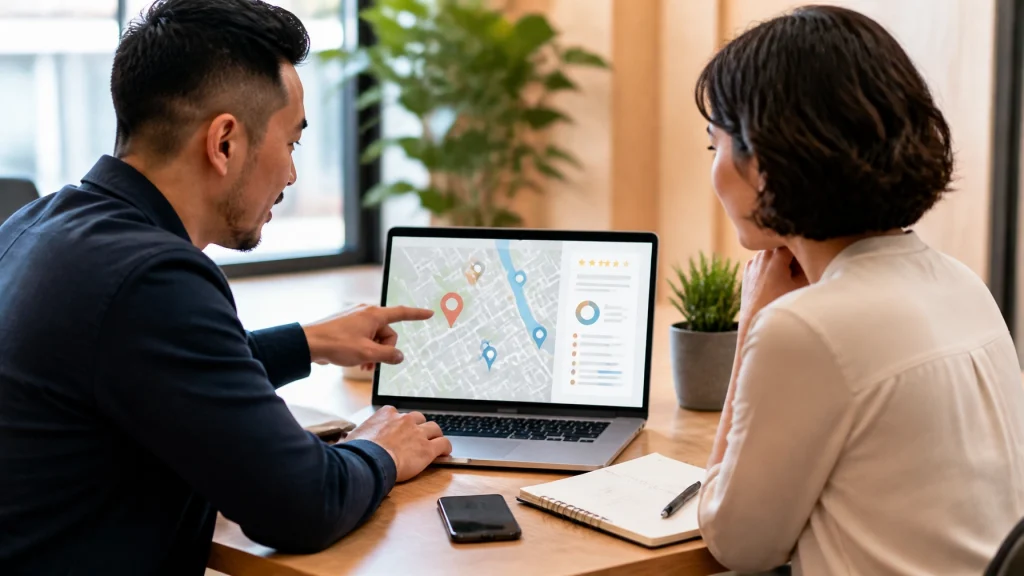
When local customers search for a service near them, Google often displays business profiles before traditional website results. These profiles can show your business name, phone number, hours, reviews, photos, services, directions, and booking options.
That makes your Google Business Profile one of the most valuable free marketing tools available to your business.
However, many small businesses create a profile and rarely update it. An incomplete or outdated profile can make it harder for customers to understand what you offer. It can also reduce the trust you build when people compare local businesses.
Google Business Profile optimization helps you make the most of this free local SEO opportunity. In this guide, we will explain what a profile is, why it matters, and how to improve each important section.
What is a Google Business Profile?
A Google Business Profile is the business listing that can appear in Google Search and Google Maps. It helps Google connect your business with customers searching for your services or products.
You can add or claim your Business Profile at no charge. Once your profile is verified, you can manage how key business details appear online.
Your profile may include:
- Your business name, address, and phone number
- Your website
- Business hours and holiday hours
- Primary and secondary categories
- Services or products
- Photos and videos
- Customer reviews
- Questions and answers
- Business attributes
- Messaging, booking, or ordering options
Your profile does more than provide information. It gives potential customers a quick way to decide whether your business is relevant, trustworthy, and easy to contact.
Why your profile matters for local SEO
Google says local results are influenced mainly by relevance, distance, and prominence. You cannot control every factor, but you can make your business information clearer and more consistent.
A complete profile helps Google understand:
- What your business does
- Which services you provide
- Where you operate
- Who you serve
- How customers can contact you
It also helps customers take action. Someone may call your business, request directions, visit your website, send a message, or book an appointment directly from the profile.
Your profile should work alongside your website. Your Google Business Profile creates visibility in local search. Your website provides more detail, builds trust, and helps convert visitors into leads.
For more context, read our guide to local SEO and “near me” searches.
Start with accurate business information

Accuracy is the foundation of Google Business Profile optimization.
Review your basic business information carefully. Your profile should match the details customers see on your website, social profiles, directories, and other trusted sources.
Pay special attention to your NAP information:
- Name: Use your real-world business name.
- Address: Use your correct physical address when customers visit you.
- Phone: Use a current number that your team answers.
- Website: Link to your active, secure website.
Also verify your regular hours, holiday hours, and special closures. An incorrect closing time can frustrate customers and lead to missed opportunities.
Avoid adding extra keywords or locations to your business name. For example, do not change “Smith Plumbing” to “Smith Plumbing Best Emergency Plumber Nashville” unless that is your actual business name. Use your description, categories, services, and website content to explain what you do.
If you operate as a service-area business, such as a mobile consultant, cleaner, or landscaper, make sure your service area follows Google’s business representation guidelines.
Choose the right categories
Your primary category tells Google what your business does. It also helps determine which searches may be relevant to your business.
Choose the most specific primary category that accurately describes your main service. Then add secondary categories only when they genuinely apply.
For example, a medical practice may select a category for its main specialty and add another category for a related service. A home service company should choose categories that reflect its actual work rather than every service it hopes to offer in the future.
Review your categories when:
- Your main services change
- You add a significant new service
- Your business model changes
- Your current category no longer describes your work
Do not add categories simply because a competitor uses them. Your choices should accurately represent your business and customer experience.
Add every important service
The Services section gives you another way to explain what your business offers.
List each important service using clear, customer-friendly language. Use the same terms your customers use when they describe what they need.
A law firm might list:
- Personal injury consultations
- Car accident representation
- Workers’ compensation assistance
- Settlement reviews
A web design company might list:
- Local business web design
- Google Business Profile optimization
- Local SEO
- Conversion optimization
Connect these services to your website. When possible, link customers to the most relevant service page instead of sending everyone to your homepage.
Your website should provide the detailed explanation, while your profile gives customers a helpful summary. This consistency helps both customers and search engines understand your business.
Use real photos that build trust

Photos give potential customers a better sense of your business before they contact you. They also make your profile more complete and engaging.
Use authentic images that show:
- Your storefront or exterior
- Your office, studio, or interior
- Your team
- Your products
- Completed projects
- Your team working
- Customer-friendly spaces
- Equipment or processes that support your services
Avoid relying only on stock photography. Real images help customers recognize your business and understand what to expect.
You do not need an expensive photoshoot to begin. Use well-lit, sharp images that accurately represent your business. Add new photos when you complete a project, update your space, introduce a team member, or launch a service.
Fresh, relevant photos can also give customers more reasons to visit your profile and website.
Publish helpful Google Posts
Google Posts allow you to share updates directly on your Business Profile. They are useful for highlighting information that may help a customer choose your business.
You can publish posts about:
- A featured service
- A recent project
- A helpful customer tip
- A seasonal update
- A community event
- A new team member
- A limited-time offer
- A frequently asked question
Keep each post focused on one idea. Use a strong image, a short explanation, and a clear action such as visiting your website, calling your team, or requesting more information.
Posts are not a replacement for your website or service pages. Think of them as a way to keep your profile active and give potential customers another reason to engage.
A weekly or biweekly schedule is a practical starting point for many small businesses.
Build trust with reviews and thoughtful responses

Reviews influence how customers compare local businesses. A steady collection of honest reviews can make your business look more established and dependable.
Create a simple review process:
- Ask satisfied customers for feedback after completing a service.
- Send them a direct link to your Google review form.
- Make the request personal and easy to understand.
- Thank customers who leave feedback.
- Respond to every review professionally.
Your responses matter, too. A thoughtful response shows that your team pays attention and values the customer relationship.
Keep responses specific when possible. Mention the service or experience without including private customer details. Never offer incentives in exchange for reviews, write fake reviews, or pressure customers to use certain wording.
The goal is a genuine review profile that reflects the quality of your customer experience.
Answer common questions in the Q&A section
The Questions and Answers section gives customers a public place to ask about your business. It can also help you address common concerns before someone contacts you.
Monitor the section regularly. Answer questions about:
- Service availability
- Appointment requirements
- Parking
- Payment options
- Service areas
- Accessibility
- Preparation steps
- Typical response times
You can also add helpful questions and answers yourself when appropriate. Keep the information accurate, direct, and easy to understand.
Your website should include more detailed answers when a topic requires additional explanation. Consider adding a frequently asked questions page that supports both your customers and your local SEO strategy.
Complete attributes, messaging, and booking options
Attributes help customers understand important details about your business. Depending on your category, these may include accessibility features, payment methods, ownership details, amenities, or appointment requirements.
Select every attribute that accurately applies. Do not choose an option simply because you think it may attract more customers.
If messaging is available for your business, enable it only if your team can respond consistently. A message option is helpful when customers receive timely answers. An unanswered message can create a poor first impression.
You should also add booking, ordering, or appointment links when your business is eligible. These features reduce friction for customers who are ready to take action.
Make sure each link works on mobile devices. Test the process yourself so you know customers can complete it without confusion.
Connect your profile with your website

Google Business Profile optimization works best when your profile and website support the same message.
Your website should reinforce your profile by including:
- Accurate business name, address, and phone details
- Clear service descriptions
- The cities or areas you serve
- Easy-to-find contact information
- Relevant service pages
- Customer reviews and testimonials
- Helpful local content
- Strong calls to action
Your profile can introduce your business, but your website should help customers make a confident decision.
At MyNash Web Design, we combine local SEO, web design, and conversion optimization to help local businesses improve visibility and generate more inquiries. We do not treat your profile and website as separate marketing tasks. We build them to work together.
Use this optimization checklist
Start with the highest-impact updates:
- Claim and verify your profile.
- Confirm your name, address, phone number, website, and hours.
- Choose an accurate primary category.
- Add relevant secondary categories.
- List your important services.
- Write a clear business description.
- Upload real photos of your team, work, and location.
- Publish helpful updates regularly.
- Ask customers for honest reviews.
- Respond to every review.
- Monitor and answer Q&A submissions.
- Select accurate attributes.
- Enable messaging if your team can respond quickly.
- Add booking or ordering links when available.
- Make sure your website matches your profile information.
- Review your profile monthly.
Turn a free profile into a stronger growth tool
Your Google Business Profile is free, but it should not be treated as a one-time setup. Keep it accurate, active, and connected to a professional website.
A complete profile can help more local customers discover your business. A strong website can help those customers understand your services, trust your team, and take the next step.
If your local visibility needs improvement, request a quote from MyNash Web Design. Our team can help you build a stronger local SEO foundation that supports visibility, leads, and long-term growth.