

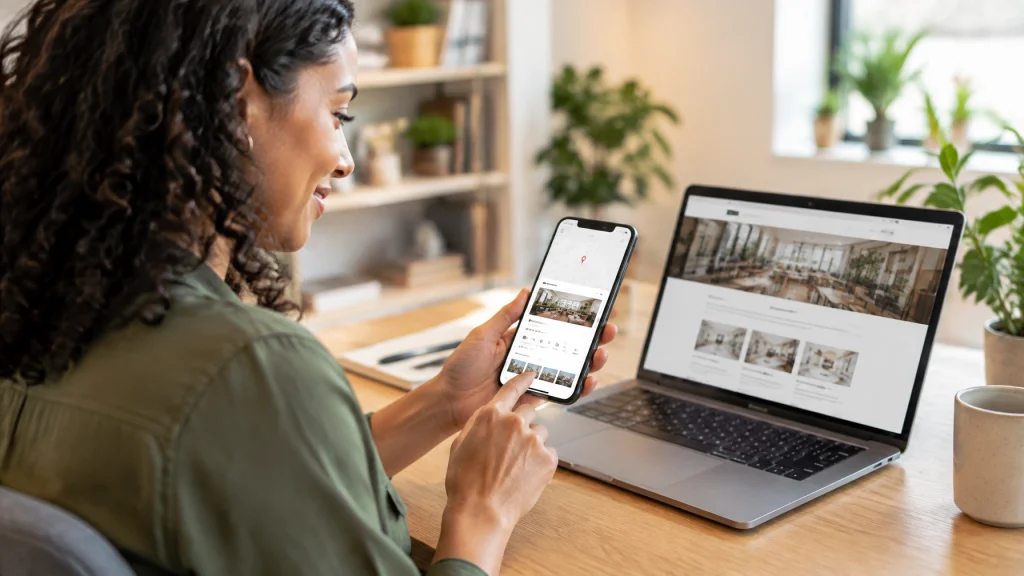
Your customers may be finding your business without ever visiting your website.
They search for a contractor, attorney, dentist, consultant, retailer, or local service provider. Google then displays the information they need directly in Search or Maps. They can read reviews, check hours, view photos, request directions, call your team, send a message, or book an appointment.
This is the zero-click search era.
A growing share of local searches ends without a traditional website visit. That does not mean customers are losing interest. It means they are taking action earlier, directly from your Google Business Profile.
Your website still matters. However, your Google Business Profile now works like the new homepage for local discovery.
Treat your Google Business Profile like your digital storefront
Your Google Business Profile is often the first impression customers have of your business.
It can appear before your website when someone searches for:
- A service in your area
- Your business name
- A “near me” solution
- A local product or appointment
- A category such as “family dentist” or “personal injury attorney”
Your profile gives customers a quick overview of your business. It answers important questions before they decide whether to visit your website or contact you.
Google explains that local visibility is influenced by relevance, distance, and prominence. A complete profile helps Google understand what you offer, where you operate, and which customers you serve.
Read our guide to Google Business Profile optimization for a deeper look at the profile features that support local visibility.

Give customers more ways to take action
Customers use your profile differently depending on their needs and industry.
A homeowner may call a contractor. A patient may book an appointment. A visitor may request directions to a retailer. A potential client may read several reviews before visiting your website.
Your profile should support the actions your customers are most likely to take.
Focus on:
- Calls: Add a current phone number that your team answers consistently.
- Directions: Keep your address and map location accurate if customers visit you.
- Bookings: Add an appointment link when your business accepts online bookings.
- Website visits: Link to the most relevant page, not always just your homepage.
- Messages: Enable messaging only when your team can respond promptly.
- Menus or products: Add accurate offerings when your category supports them.
- Reviews: Build trust with authentic customer feedback.
- Photos and videos: Show your location, team, products, and completed work.
- Questions and answers: Address common concerns before customers contact you.
- Posts and updates: Share useful news, services, events, and seasonal information.
These actions are valuable even when they do not produce a website session. A phone call, direction request, or appointment can be a successful conversion from local search.
Complete every important profile section
An incomplete profile creates uncertainty. Customers may wonder whether your business is active, trustworthy, or relevant to their needs.
Start with the basics. Use your real business name, accurate phone number, correct website link, and current business hours. Add special hours for holidays, closures, and schedule changes.
Then review the details that help Google and customers understand your business.
Choose accurate categories
Your primary category should describe your main business. Add secondary categories only when they genuinely apply.
A law firm should select the category that best reflects its primary legal service. A medical practice should choose the most relevant specialty. A contractor should focus on the work customers actually hire the company to perform.
Do not add categories simply because a competitor uses them. Accurate information builds stronger long-term visibility and trust.
List your services clearly
Add important services using language your customers understand.
A dental practice might include preventive care, teeth cleaning, dental implants, and emergency appointments. A consultant might list business strategy, financial planning, or operations consulting.
Connect services to relevant website pages when possible. Your profile can provide a short overview. Your website can explain the service, process, benefits, and next step in greater detail.
Use a clear business description
Your description should explain what you do, who you help, and where you operate.
Keep it natural and customer-focused. Avoid repeating keywords or adding claims you cannot support. Do not turn the description into a list of cities or phrases designed only for search engines.
Add real photos and videos
Use authentic images that show customers what to expect.
Consider adding:
- Your storefront or office
- Your team
- Your work in progress
- Completed projects
- Products or equipment
- Waiting rooms or customer areas
- Service vehicles
- Short videos that explain your process
Real images usually create more trust than generic stock photography. They also help customers recognize your business when they visit.
Handle your address and service area correctly
Businesses that serve customers at a physical location should provide an accurate address and map pin.
Service-area businesses should follow Google’s business representation guidelines. If customers do not visit your address, you may need to hide the address and list the areas you serve instead.
Accuracy protects both your visibility and your customer experience.
Keep your profile and website working together
Your Google Business Profile may become the first place a customer learns about your business. Your website still needs to help that customer make a confident decision.
Your profile and website should reinforce the same information:
- Business name
- Phone number
- Address or service area
- Hours
- Services
- Brand message
- Customer reviews
- Contact options
Your website should also provide details that do not fit comfortably in a profile. Customers may want to review your process, compare services, meet your team, read FAQs, or see examples of your work.
A strong website gives your business room to build trust after a customer discovers you through Search or Maps. Our Local Business Web Design guide explains how design and SEO can work together to support visibility and conversions.

Track actions instead of focusing only on clicks
Website traffic is useful, but it no longer tells the whole story.
Your Google Business Profile can generate valuable actions that never appear as website sessions. Review your profile performance regularly and monitor:
- Calls
- Direction requests
- Website clicks
- Booking actions
- Messages
- Search queries
- Profile views
- Photo views
- Menu or product interactions, when relevant
Treat these actions as primary local marketing KPIs.
For example, a plumbing company may receive fewer website clicks but more phone calls. A medical practice may generate more appointment actions. A retailer may see direction requests increase after adding new photos and holiday hours.
The right metric depends on your business model. The important point is to measure customer actions, not just impressions or rankings.
Use Google’s Business Profile performance information to review available insights. Connect profile activity with website analytics and lead records when possible.

Build trust without shortcuts
A strong profile should make your business look dependable because it accurately represents a good customer experience.
Avoid tactics that can damage trust or create policy problems, including:
- Buying or writing fake reviews
- Offering incentives in exchange for reviews
- Asking customers to use specific wording
- Adding keywords to your real business name
- Creating duplicate profiles
- Listing services you do not provide
- Adding locations you do not serve
- Posting misleading updates
- Using stock images that misrepresent your business
Ask satisfied customers for honest feedback after a completed service or purchase. Make the process simple. Then respond to reviews with professionalism and appreciation.
Your profile should reflect your real business. Accurate information and genuine customer experiences create a stronger foundation than shortcuts.
Improve the entire local customer journey
Your Google Business Profile is the front door to your local online presence. Your website is where many customers continue evaluating your business. Your phone calls, forms, bookings, and in-person experiences complete the journey.
That means your local strategy should connect:
- Discovery through Google Search and Maps.
- Trust through reviews, photos, services, and accurate information.
- Evaluation through your website and helpful content.
- Action through calls, forms, bookings, messages, or directions.
- Measurement through profile insights, analytics, and lead tracking.
Our Local SEO guide covers additional ways to improve your visibility in local searches. You can also learn how AI search is changing local discovery and why clear, trustworthy business information matters across every channel.
Make your new homepage work harder
Your Google Business Profile is no longer a listing you create once and forget. It is an active customer touchpoint that can generate calls, visits, bookings, directions, and leads.
Your website still plays an important role. It provides the depth, clarity, and conversion path customers need when they want to learn more.
At MyNash Web Design, we help local businesses connect these pieces. We optimize your profile, improve your website, and create a clearer path from local search to customer action.
Get a quote from MyNash Web Design to discuss how your local presence can support stronger visibility, more trust, and measurable growth in 2026.